stripe
Credit & Debit Cards
Pay securely with Stripe. Supports cards, Apple Pay, Google Pay, and more.
VISAPayG Pay
Support with Stripe QSL Connect puts BrandMeister DMR on your PC and your phone — no radio, no hotspot. Hear who’s on the air, talk on any talkgroup, and keep your logbook in one clean, modern app.
From your first key-up to your hundredth contact, QSL Connect keeps the network, your log and your station conditions at your fingertips.
Join any talkgroup, scan others, make private calls and push-to-talk straight from your computer or phone.
A live caller card shows DMR ID, callsign, name, location and flag, with a searchable last-heard list.
ADIF-compatible logging, QSO marking and notes, plus stats for countries, states and your farthest contact.
See heard stations plotted with range rings, a heat map and period filters, with distance and bearing.
Schedule nets with reminders and check-in lists, set a watch list for callsigns, and silence it all with quiet hours.
Local forecast, sunrise and sunset, and NOAA space weather beside your radio, so you know what the bands are doing.
Download QSL Connect for Windows, or install it from Google Play on your Android phone.
Enter your own callsign, your free DMR ID from RadioID.net and your BrandMeister Hotspot Security password. Nothing is pre-filled.
Pick a talkgroup, press Connect, and you’re on BrandMeister. Hold the PTT button to transmit.
You’ll need an amateur radio callsign, a free DMR ID from RadioID.net and a BrandMeister account.
QSL Connect is a passion project built for the amateur radio community.
If you find it helpful, please consider a contribution to help with server costs, ongoing development, and new features.
Same great software. Different ways to say thanks! Every contribution, big or small, makes a real difference.
Pay securely with Stripe. Supports cards, Apple Pay, Google Pay, and more.
Use your PayPal account or a card. A fast and familiar way to support QSL Connect.
Support with PayPalQuick and easy one-time tips or monthly support. Perfect for small contributions!
Support on Ko-fi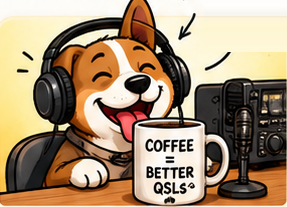 Fuel more
Send some caffeine my way! Help keep the code compiling and the servers humming.
Buy Me a CoffeeYour support helps keep QSL Connect free for hams around the world, while funding continued development, hosting, and new features.
Secure PaymentsAll payments are processed securely by trusted providers.
Your Privacy MattersYour personal information stays private.
Any Amount HelpsFrom a cup of coffee to bigger support — it all makes a difference.
Built by Hams, for HamsSupported by an amazing community like you.